











TidyPanel for Windows
- Trial version
- 4.61
- V1.1.0
Download for Windows
View an ad to download for free
Desktop Widgets and Shortcut Organizer for Windows
TidyPanel is a lightweight Windows desktop organizer that brings useful widgets, shortcut panels, reminders, and quick tools into one clean workspace.
Instead of keeping shortcuts, notes, reminders, and system information scattered across the desktop, TidyPanel helps you organize everything in a more practical way. It is designed for users who want quick access to daily tools without opening multiple apps or cluttering the screen.
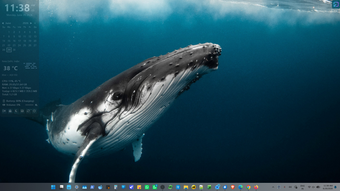
TidyPanel works like a modern desktop dashboard. You can place helpful widgets on your screen, create shortcut boxes for frequently used apps, files, folders, and websites, and group related shortcuts together for easier access. Whether you are working, studying, browsing, or managing daily tasks, it keeps important items close without getting in the way.
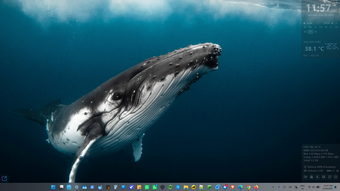
The app includes widgets for clock, calendar, reminders, weather, system monitoring, and system tools. These widgets make it easier to check useful information at a glance, instead of switching between different windows or searching through menus.
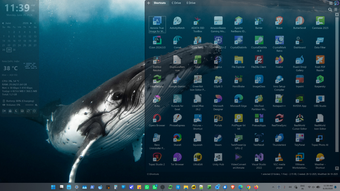
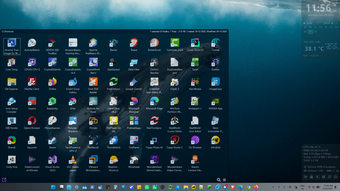
Shortcut Boxes are one of the main features of TidyPanel. They let you create small desktop panels containing the things you open often. You can add apps, folders, files, or websites and launch them quickly whenever needed. Shortcut Groups help you organize multiple shortcuts by category, such as work, design, tools, entertainment, documents, or personal tasks.
TidyPanel is also useful for users who miss the convenience of older Windows desktop gadgets but want something more modern, cleaner, and focused on real everyday use. It avoids unnecessary complexity and gives you practical widgets and organization tools that are easy to set up.
The built-in reminder widget helps you keep track of small tasks, appointments, and things you do not want to forget. The weather widget gives quick access to local weather information, while the system monitor widget helps you keep an eye on system activity. The system tools widget provides fast access to common Windows tools from one place.
TidyPanel is designed to be simple and comfortable for daily use. It supports light, dark, and system theme modes, so it can match your Windows appearance. Widgets and panels can be positioned based on your workflow, making it easier to build a desktop layout that feels personal and useful.
Unlike heavy desktop customization suites, TidyPanel focuses on practical features that are easy to understand. You do not need advanced technical knowledge or complicated setup. Install the app, add the widgets or shortcut panels you need, and start using your desktop in a more organized way.
Key features include:
• Desktop shortcut boxes for apps, files, folders, and websites• Shortcut groups for organizing shortcut boxes• Clock widget• Calendar and Reminder widget for quick tasks and daily notes• Weather widget• System monitor widget• System tools widget• Light, dark, and system theme support• Clean interface for everyday Windows use• Lightweight background utility• Useful alternative to cluttered desktop organizer and widgets.TidyPanel is made for Windows users who want a cleaner desktop, faster access to frequently used items, and useful widgets that stay within reach. It helps turn the desktop into a simple, organized, and productive workspace without making it complicated.
Loading…
App specs
License
Trial version
Version
1.1.0
Latest update
Platform
Windows
OS
Windows 11
Language
English
Size
10.88 MB
Developer
- SimplerSoft
TidyPanel for PC
- Trial version
- 4.61
- V1.1.0
Download for PC
View an ad to download for free
User reviews about TidyPanel
Have you tried TidyPanel? Be the first to leave your opinion!
Add reviewTop downloads Productivity for Windows
Top downloads Productivity for Windows
Top downloads Productivity for Windows
Related topics about TidyPanel
Latest articles

Steam adds 8 more free PC games this weekend: download and keep them now

Wuthering Waves 3.5 arrives July 10: Xbox debut and Mengzhou expansion

Dead or Alive 6 Last Round is now on Steam: players slam the full-priced rerelease
Samsung Messages is shutting down in the U.S.: many Galaxy users will need to switch

Google Translate could soon get a Duolingo-style streak widget
Laws concerning the use of this software vary from country to country. We do not encourage or condone the use of this program if it is in violation of these laws. Softonic may receive a referral fee if you click or buy any of the products featured here.